
Managed AI call handling for businesses that cannot afford missed inbound conversations.

answered routed logged.

Incoming call AI answered Intent captured Outcome logged

RUU answers inbound calls, captures caller intent, routes urgent requests, and saves every recording, transcript, and outcome inside your dashboard.

Never miss the inbound calls your business worked hard to earn.

Give your front desk AI backup during peak hours, after closing, lunch breaks, staff overload, and high-intent call spikes.


RUU AI receptionist call log showing caller intent and outcome
Co-managed with your team.
RUU AI receptionist transcript preview matched to Section 1 visual asset
Shaped by call context.
Smart Routing
Human Handoff
Appointment Capture
Recordings + Transcripts
Dashboard Outcomes
RUU AI receptionist call capture visual from dashboard workflow
RUU AI receptionist transcript and call detail visual

Every inbound call has context. RUU makes sure it is answered, understood, and visible.

Calls handled by AI Receptionist, reviewed through your dashboard.

AI Receptionist

Redefining inbound call handling with managed intelligence.

ruu.
RUU AI receptionist demo account bridge visual

Your demo account lets you explore AI Receptionist workflows before going live. Live AI call handling is only activated after you select a plan, complete verification, and approve production setup.

02 The Problem

Front Desk
Overload

The leak is not always traffic. It is what happens after the call arrives. Your team may be doing everything right, but high-intent calls can still disappear when people are busy, closed, or already helping someone else.


Front desk call overload visual for AI Receptionist section 2
Peak-hour call pressure
Missed inbound call visibility visual for AI Receptionist section 2
Missed-call visibility gap

Peak-Hour Overload

Calls arrive while staff are checking in customers, coordinating operations, handling another caller, or managing the front desk in real time.

After-Hours Gaps

Customers do not always wait until tomorrow. Missed after-hours calls can become delayed bookings, lost inquiries, or unanswered urgent requests.

No Visibility After the Miss

Without a recording, transcript, caller intent, or outcome status, managers cannot easily see which calls mattered or what should happen next.

03 Workflow

01

The Call Arrives

A customer reaches your business during peak hours, after closing, lunch breaks, or while your team is already helping someone else.

Workflow state: Inbound call detected

Incoming Call
After Hours
High Intent
Capturable

02

RUU Answers

The AI Receptionist responds using your business context, greeting, call rules, availability logic, and escalation boundaries.

Workflow state: AI receptionist engaged

AIBusiness Context
Call Rules
Routing Logic
Escalation

03

Intent Is Captured

RUU identifies what the caller needs, collects key details, checks urgency, and prepares the right next action for your team.

Workflow state: Caller intent structured

Request Type
!Urgency
Details
Next Action

04

Outcome Becomes Visible

Recording, transcript, caller intent, routing note, and outcome status appear inside your dashboard so the call does not disappear.

Workflow state: Dashboard outcome logged

Recording
Transcript
Outcome
Follow Up
04 Demo Calls

Demo calls that sound like work getting captured.

Scroll through the stack. Each recording card now uses a real inbound receptionist audio scene, while the copy updates with what RUU captured and what appears in the dashboard.

Home services Urgency captured

NorthPeak Heating & Air receives an inbound HVAC issue call.

RUU answers like a front desk agent, captures the problem, checks urgency, confirms contact details, and prepares the booking or callback path.

CapturedHVAC issue, urgency, contact details, address, and service next step.
DashboardRecording saved · Transcript ready · Urgency captured.
Hospitality Inquiry handled

Harborline Suites gets a room availability call.

RUU handles the guest professionally, answers the room inquiry, collects stay details, and guides the caller toward the reservation next step.

CapturedGuest intent, stay dates, room details, contact information, reservation interest.
DashboardGuest inquiry captured · Stay details saved · Reservation next step visible.
Ecommerce support Order enquiry

An ecommerce customer calls about order status.

RUU captures the customer context, asks for order details, understands the enquiry, and prepares support follow-up instead of losing the call.

CapturedOrder status question, customer contact, order reference, support need.
DashboardOrder enquiry handled · Transcript saved · Follow-up context ready.
Restaurant Reservation guided

A restaurant caller requests a table booking.

RUU captures party size, date, time, caller name, and contact details so the reservation request is clear before the team reviews it.

CapturedParty size, booking date, preferred time, name, phone, reservation intent.
DashboardReservation request logged · Recording saved · Next step visible.
NorthPeak HVAC
00:00
MP3
.MP3
Home services receptionist
Harborline Suites
00:00
MP3
.MP3
Hotel inquiry receptionist
Ecom Order Status
00:00
MP3
.MP3
Ecommerce support receptionist
Restaurant Booking
00:00
MP3
.MP3
Restaurant reservation receptionist
Scroll to change recordings
Call Capture

Every answered call becomes a usable business record.

RUU captures the details your team needs after the conversation ends: who called, what they wanted, how urgent it was, what was said, whether a human should follow up, and where the request sits inside your dashboard.


Review without guessing Recording, transcript, summary, and outcome status stay attached to the call.
Route with context Urgency, handoff flag, routing note, and next action are visible for your team.
AI Receptionist call capture dashboard visual for Section 5 image 1
Call captureCaller details converted into a reviewable record.
AI Receptionist transcript and routing visual for Section 5 image 2
TranscriptWhat was said stays attached to the call.
AI Receptionist urgency and handoff visual for Section 5 image 3
HandoffUrgency and next action stay visible.
AI Receptionist outcome workflow visual for Section 5 image 4
OutcomeRecording, status, and workflow outcome saved.
Dashboard Preview

Inside RUU, every inbound call becomes a visible outcome.

Preview sample call logs, recordings, transcripts, caller intent, routing notes, appointment requests, callback statuses, and human handoff flags before activating live call handling.

RUU Demo Dashboard · AI Receptionist Report
Call log loaded
Demo Account View

Review what happened after every call.

Your team can see the caller’s intent, the transcript, the recording, the outcome, and the next action without guessing what happened after the phone rang.


Demo first Explore sample workflows before approving production setup.
Go live later Live call handling starts only after plan, verification, and setup approval.

Inbound call log

Loaded
RUU AI receptionist call log showing caller intent and outcome
After-hours callerCallback
Appointment requestLogged
Urgent service callRoute

Transcript preview

Created
RUU AI receptionist transcript preview from an inbound call

Outcome status

Logged
RUU AI receptionist outcome card with next action
Full dashboard preview is available inside your demo account. Explore sample recordings, transcripts, call outcomes, routing notes, and workflows before going live.
Start $29 Receptionist Pilot
01 Recordings saved
02 Transcripts visible
03 Caller intent tagged
04 Next action assigned
Best-fit industries

Choose Your Call Workflow

RUU is built for businesses where missed calls, delayed callbacks, appointment requests, urgent service calls, and client leads need to become visible dashboard outcomes.
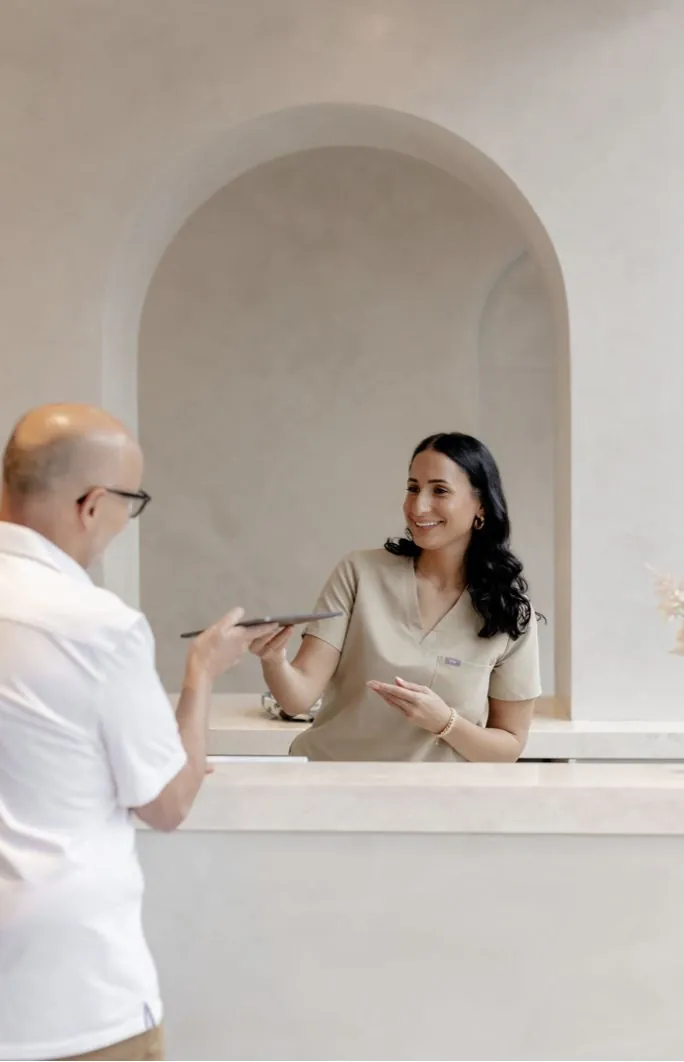
Clinic front desk call workflow captured by RUU AI receptionist

Clinic Front Desk

Appointment requests, routine FAQs, lunch-break overflow, after-hours callers, and sensitive conversations that need human handoff.

Appointment request Transcript saved Callback needed
Best fit 4.9/5★★★★★Front-desk workflow →
+
Home services missed call workflow captured by RUU AI receptionist

Home Services

Urgent repair calls, after-hours demand, service details, address capture, priority checks, and route-to-human workflows.

Urgency markedAddress capturedRoute required
Best fit 4.8/5★★★★★Service workflow →
+
Real estate inquiry call log captured by RUU AI receptionist

Real Estate

Property inquiries, showing requests, rental questions, buyer/renter details, and serious leads that should not go cold.

Lead intentShowing requestFollow-up logged
Best fit 4.7/5★★★★★Lead workflow →
+
Hospitality call outcome card for reservation or guest request

Hospitality & Local

Reservation questions, service requests, availability checks, location details, and simple routing when the team is busy.

Reservation questionAvailability capturedCall routed
Best fit 4.6/5★★★★★Local workflow →
+
Partner dashboard preview for managed AI receptionist workflows

Agencies

Add AI call handling to client campaigns without building the voice stack, managing telephony, or supporting prompts every month.

Client lead layerPartner dashboardRecurring value
Best fit 4.8/5★★★★★Partner workflow →
+
Professional services call transcript captured by RUU AI receptionist

Professional Services

Intake calls, callback requests, basic qualification, routing notes, transcript visibility, and next-action clarity.

Intake capturedQualified requestNext action
Best fit 4.7/5★★★★★Intake workflow →
+
Scroll to switch workflows, or use the tabs above.

AI Receptionist  - 08

Managed Setup

Structured Calls.
Human Handoff.

RUU is configured around your business rules, call workflows, escalation logic, and review process before live call handling begins.

Your greeting, questions, knowledge, routing rules, and stop-points are defined before production.

Business Rules

Urgent, sensitive, unknown, or complex calls can be routed to a human instead of forcing the AI forward.

Human Handoff

Demo flows can be reviewed before go-live, with recordings, transcripts, notes, and outcomes visible for approval.

Review Before Go-Live

RUU supports ongoing workflow updates, monitoring, maintenance, and adjustment as your call needs change.

Managed Support

1.
The present is a stack of disconnected voice tools.

RUU’s managed model brings answering, routing, transcripts, dashboard outcomes, and support into one monthly system.

WorkflowManaged path

Flat monthly AI reception, without the DIY voice stack.

Use the switch to see the difference between assembling the call operation yourself and using RUU as the managed AI Receptionist system.

Current view: DIY stack assembled manually

DIY means the receptionist is only one part of the operation. You still manage phones, routing, transcripts, dashboards, testing, and maintenance separately.

Piece 01

Voice AI Tool

Answers calls, but the rest of the business call operation still has to be designed and connected.

Piece 02

Phone + Routing

Numbers, forwarding, escalation paths, fallback rules, and call logic become separate setup work.

Piece 03

Records + Review

Recordings, transcripts, notes, outcomes, and dashboards may live in different places.

Load 04

Maintenance Load

Prompts, testing, monitoring, workflow edits, and quality checks stay on your team.

Optionsx
Managed Receptionist Advantage
Process Mode:Assembled manually
AI Receptionist Pilot

Start with the $29 AI Receptionist pilot before choosing monthly coverage.

Test one inbound receptionist workflow first, review recordings, transcripts, caller intent, routing notes, and dashboard outcomes, then choose the monthly AI Receptionist plan that fits your call volume.

1. Choose one inbound workflow 2. Run the 2-day pilot 3. Review recordings and dashboard outcomes 4. Continue into the right monthly plan
Pilot first. Go live after proof. Use the pilot to validate the greeting, call rules, routing logic, handoff notes, outcome labels, and dashboard review path before expanding inbound call coverage.
AI Receptionist Pilot

Test one inbound call-handling workflow before monthly coverage.

$292-day focused pilot

Best for missed calls, after-hours calls, appointment requests, FAQs, routing, front-desk overflow, and urgent caller capture.

  • One AI Receptionist workflow
  • 2-day focused pilot
  • Up to 30 pilot calls
  • Greeting, call rules, routing, and handoff setup
  • Recordings, transcripts, dashboard outcomes, and pilot review
Start $29 Receptionist Pilot Then continue with a $199, $499, $999, or custom AI Receptionist monthly plan.

AI Receptionist pricing

AI Receptionist Monthly Plans

AI Receptionist

Managed inbound answering for missed calls, after-hours calls, appointment requests, FAQs, routing, and front-desk overflow.

Plans from $199/mo
Basic$199/mo
  • Unlimited calls
  • 40,000 included conversation minutes
  • Around 0.6 sec response speed
  • 1 trained AI Receptionist
  • 1 connected line
  • Recordings and transcripts
  • Receptionist dashboard outcomes
Start Basic Receptionist
Pro$999/mo
  • Unlimited calls
  • Unlimited conversation minutes
  • Natural voice options
  • Around 0.4 sec response speed
  • 2 trained AI Receptionists
  • 2 connected lines
  • Recordings, transcripts, and dashboard outcomes
Start Pro Receptionist
CustomCustom
  • Unlimited calls for selected workflows
  • Custom conversation-minute capacity
  • Custom trained receptionist capacity
  • Custom connected-line setup
  • Natural voice options
  • Custom integrations, routing, and reporting
  • Recordings, transcripts, and dashboard outcomes
Talk to RUU

What every AI Receptionist plan includes

Inbound call capacity, workflow setup, recordings, transcripts, and outcome visibility are built into the plan.

Unlimited callsIncluded conversation minutesFast response speedTrained AI receptionistsConnected linesNatural voice options on Advance / ProCall recordingsTranscripts & outcomes
Pilot or monthly plan path is visible upfront Start with the $29 pilot or choose the monthly AI Receptionist plan that already matches your workflow, minutes, response speed, trained receptionist capacity, and connected-line needs.
Start With The $29 Pilot
ruu

Demo access

Pilot first. Live only after approval.

Start the $29 pilot or explore demo workflows before any live AI Receptionist call handling is connected.

Business email
Create demo access password
Pilot and demo access are controlled. Live calls require plan selection, verification, and production approval.
Start $29 Receptionist Pilot

Already reviewed pricing? Use the demo dashboard to inspect sample workflows before production setup.

Demo mode
RUU AI receptionist demo account bridge visual matched to Section 11 asset
Sample call logCaller intent, recording, transcript, outcome.
Ready
Transcript previewReview what the AI captured before go-live.
Saved
Outcome workflowCallback, handoff, appointment, or follow-up.
Logged
Step 01 Explore sample workflows

Review recordings, transcripts, caller intent, and dashboard outcomes inside demo mode.

Step 02 Select pilot or plan + verify

Choose the $29 pilot or a monthly plan, complete business verification, and define your live call rules.

Step 03 Approve production setup

Live AI call handling begins only after your workflow, handoff logic, and setup are approved.

No automatic live activation. Pilot and demo access stay controlled before production setup.